


01
Answer recurring questions
Give members a fast way to ask about products, programs, policies, resources, or community guidance without waiting for a moderator.
Answers for every community
Give your community or team fast answers from the knowledge you approve, directly inside the Discord channels and threads they already use.
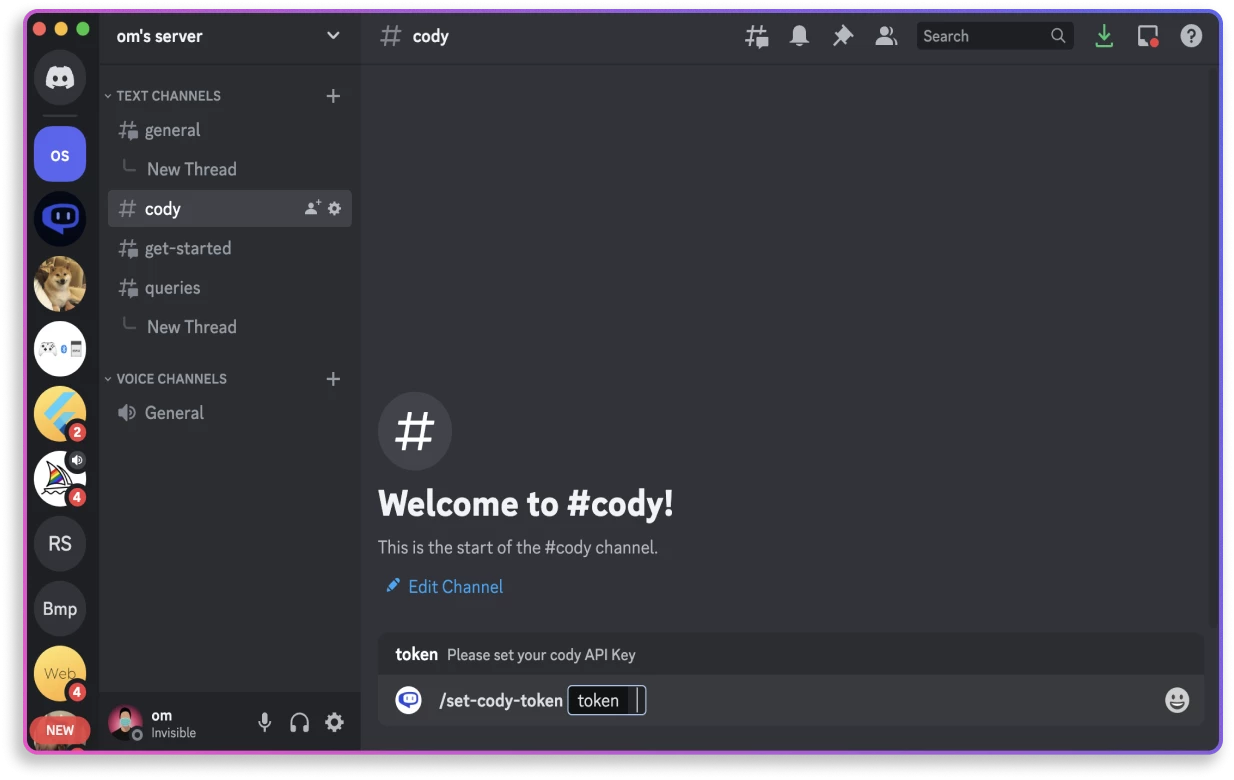
Useful help, right in the server
Cody adds an always-available knowledge assistant to your Discord server. Members can ask in natural language, and Cody can answer from the documents, sites, and guidance you connected to that assistant.
Need the same knowledge elsewhere? Add Cody as anAI assistant for Slackor put it on yourwebsite. Each destination can draw from the knowledge you manage in Cody.
01
Give members a fast way to ask about products, programs, policies, resources, or community guidance without waiting for a moderator.
02
Connect the sources you trust so Cody can respond from your knowledge instead of relying on generic information alone.
03
Let Cody answer in Discord threads so follow-up questions stay with the original topic and the main channel remains easier to scan.
One question, one focused thread
Mention Cody with a question and move the answer into a thread. Members can ask follow-ups with the original context close by, while moderators keep the wider conversation readable.
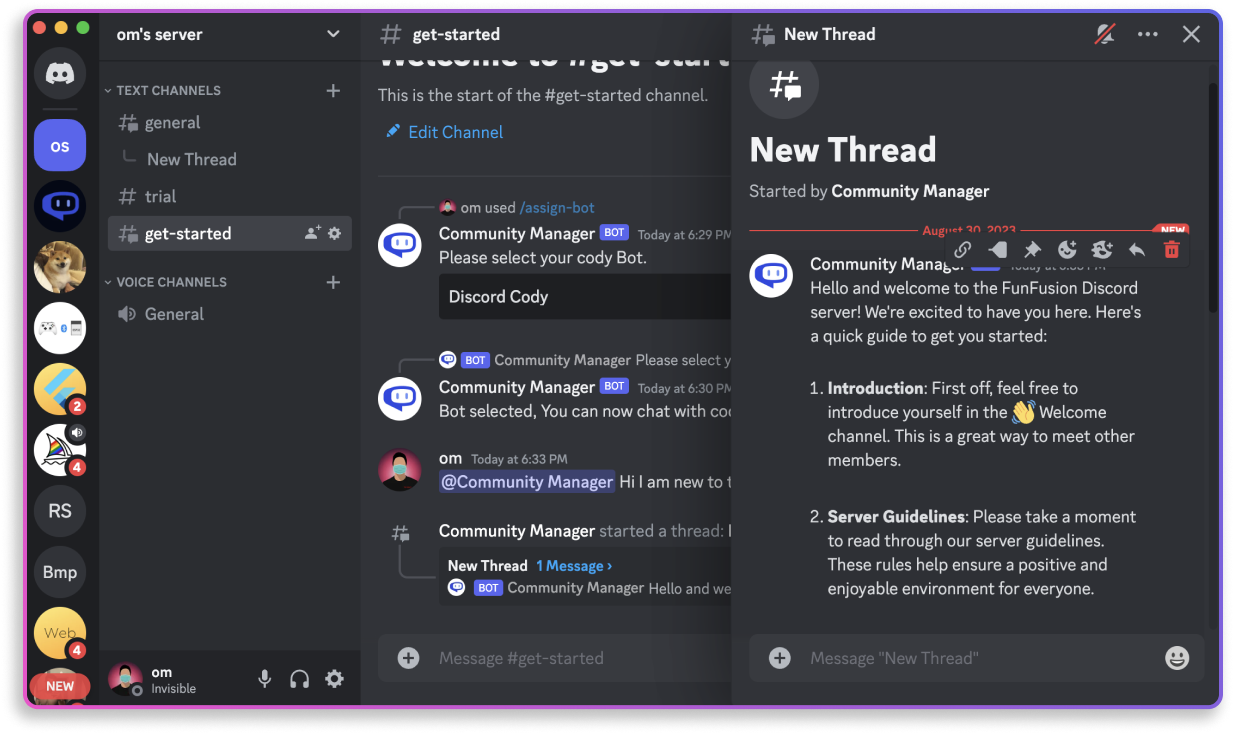
From knowledge to server
Add the documents, websites, and guidance that should shape its answers, then test the assistant before sharing it with your server.
Add Cody to your server, set the Cody API key, and assign the assistant to the text channel where it should be available.
Start with @Cody and a question. Cody replies in a thread, where members can continue the conversation with the right context.
The essentials about connecting a business-trained Cody assistant to a Discord server.
An AI assistant for Discord helps people ask questions and receive useful replies inside a server. Cody can use the business or community knowledge you connect to answer with relevant context.
Yes. You can build a Cody assistant from approved documents, websites, and written content, then connect that assistant to your Discord server.
After a member mentions Cody with a question, Cody can create a thread for the reply and follow-up conversation. This keeps each topic organized around its original question.
Cody can be assigned to text channels, allowing server administrators to choose the assistant that best fits the audience and knowledge needed in each channel.
Cody for Discord
Connect approved knowledge to Cody, add it to Discord, and make useful help available where your community already gathers.